
On this page you will find all the answers to questions relating to the family reunification process.
Submitting a family reunification application
We recommend that you submit your application for family reunification online.
To find out which documents you need, visit the public service page. All your documents must be translated into French by a sworn translator, a list of whom is available on courdecassation.fr. Translations by other organisations are not accepted.
Then fill in the form online from this website by logging in to your personal space. Provide information about your identity, family, accommodation and resources. You will be asked to provide supporting documents as you go along.
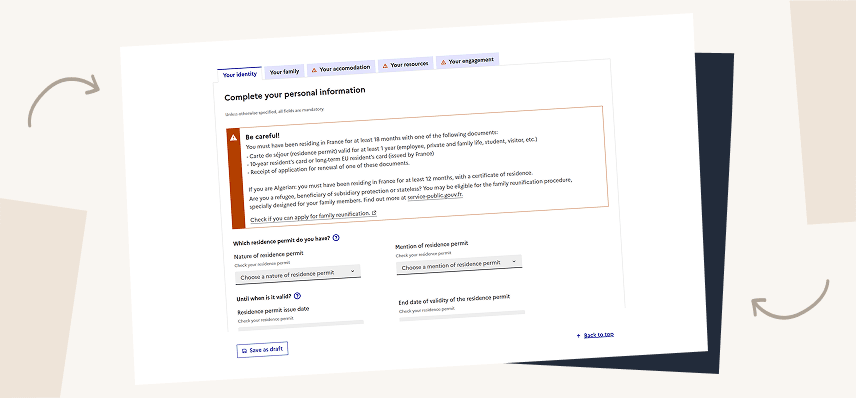
You can also send your application by post by downloading the Cerfa form. Send it, together with all the required documents, to your local regional office.
For more information, see the ‘Applying for family reunification’ page.
If you have clicked on ‘submit my application’ but it doesn’t work, your application is probably incomplete or incorrect. Red icons and messages show you what information needs to be added or corrected. Go back to the tabs marked with an exclamation mark to correct them:
- One or more compulsory documents may be missing
- Fields are empty or filled incorrectly

If everything is green and it still doesn’t work, contact technical support using the form at the bottom of the page.
If your residence permit is not valid, your application for family reunification will be rejected. There is therefore no point in sending in your application. You must first renew your permit with the Administration for foreigners in France. Once your application has been submitted and accepted, you will receive a receipt which you can use to apply for family reunification.
To check whether your residence permit is eligible, you can use our simulator.
To ensure faster and more efficient processing of your application, we recommend providing complete and clearly legible documents in PDF format. We suggest using a scanning app such as Genius Scan or PDF Scanner, both available for smartphones.
These apps can be downloaded from the Google Play Store (Android) and the App Store (iOS). You can find the links below:
GENIUS SCAN


SCANNEUR PDF
In general, it is not necessary to submit the same application more than once. On the contrary, doing so may delay the processing of your file, since the officers will need to check all versions in full.
We recommend submitting your application online. This way, you will be able to track its progress as soon as it has been submitted.
When you apply for family reunification, the OFII must ensure that your housing and financial resources are sufficient to accommodate your family under proper conditions.
For this reason, an inspector will visit your home. It is therefore important to provide all possible details so that the inspector can access your accommodation — for example, the access code or apartment number.
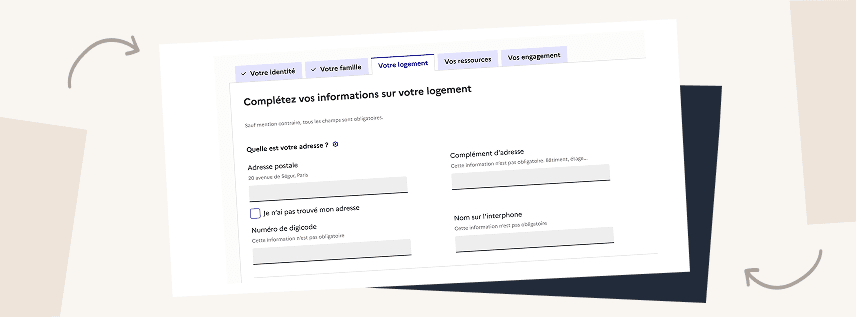
If the inspection cannot be carried out, your family reunification application will be denied.
When you submit a family reunification application, you must list all members of your family: spouse, PACS partner or partner you live with, and minor children, whether they live abroad or in France. You must also indicate whether you are requesting family reunification for each of them by ticking the corresponding box.
The OFII needs a complete overview of your family in order to verify that your resources and housing are sufficient for all the people who depend on you.
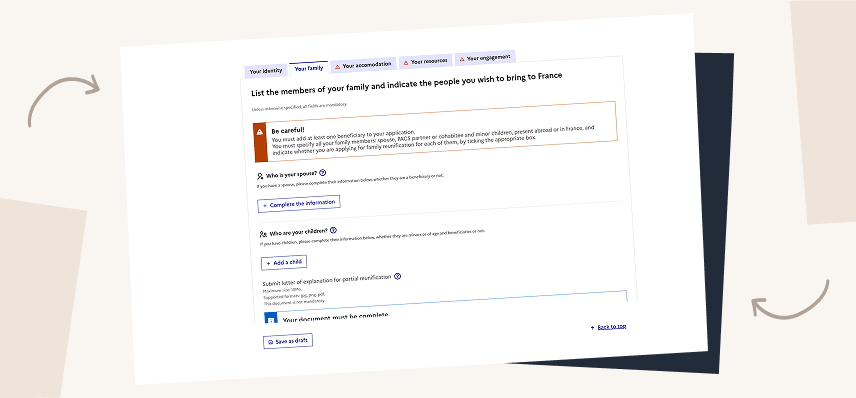
If you do not declare all members of your family, the processing of your application may be delayed.
In addition, by submitting your application, you commit to providing accurate and truthful information. If you make a false declaration in order to obtain a favorable decision, your application may be cancelled.
When you submit your application, you must provide the address of all your family members. If your child is hosted by someone other than your spouse, it is important to provide that person’s phone number and email address.
This information is used:
- by the OFII, to verify the eligibility of your family members, process your file, and determine which consulate should be contacted for each beneficiary;
- by the consulate, which will contact them directly.
It is important to declare your previous marriages or civil partnerships, as well as those of your spouse. This allows us to verify that you are not in a situation of polygamy in France, as this is prohibited by law.
For each past union, you will be asked to provide a divorce decree or a certificate of dissolution of the PACS.
Any undeclared union at the time of submission will delay the processing of your application, as you will be asked to provide additional documents.
Tracking your family reunification application
If you have submitted a family reunification application on the Portal for foreigners in France, it may take some time to appear in your personal space. If this is the case, try logging in again later. If the problem persists, contact our technical support team using the form at the bottom of the page.
If you have sent your application by post, your entire application must be scanned and entered by an OFII agent, which may take some time. If your application does not appear in your personal space after a few weeks, you can contact your local regional OFII office to check that it has been received.
When your application for family reunification is deemed complete by OFII, you will receive a certificate of submission by post. You can also download it from your personal space. The certificate is only available if OFII has validated all the documents sent.
If you wish to make changes to your application once it has been submitted, contact your local regional OFII office. OFII will consider the changes you wish to make if they are legitimate and if you provide the necessary supporting documents.
If you have submitted several applications, by post or online, you will see all these applications in your personal space. Only one application should be active.
There is no need to send the same request several times, or to send your request by post if you have already submitted it online. This would only clog up OFII’s departments and delay the processing of your application.
If you have an application in progress, you can track its progress and view the information entered and documents sent from your personal space.
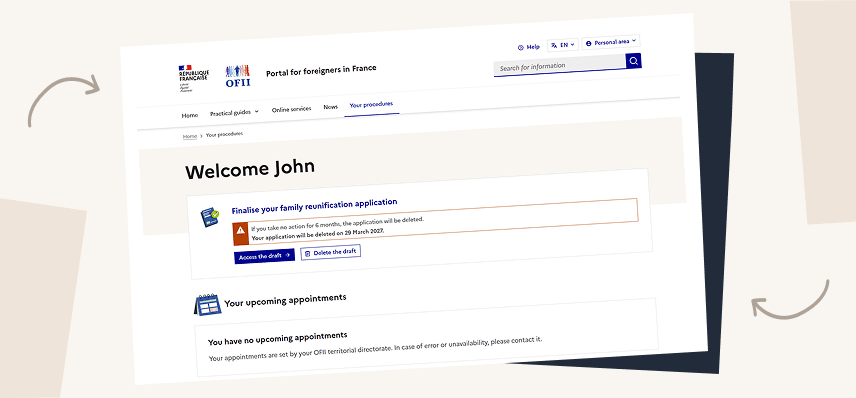
If you are unable to log in, please contact technical support using the contact form at the bottom of this page.
It is not yet possible to cancel an application from your personal space, but this option will soon be available. For the time being, you must request the cancellation of your application from your local regional office. You will receive a certificate of registration of your cancellation request by post.
You can track the progress of your application in your personal space, where you can monitor each stage. You will also be notified by email of any changes.
Please note that processing times can sometimes be long.
Once the review of your application has been completed, the French Office for Immigration and Integration (OFII) forwards it to the prefecture. The prefect is responsible for making the decision to approve or reject your application.
While your application is being processed by the prefecture, only the prefecture can provide you with information about its status. OFII will not be able to give you any further information.
Request for Additional Documents by the OFII
When you submit a family reunification application, the OFII carries out an initial check. If information or documents are missing, you will receive an email and a letter specifying what needs to be sent.
You then have 30 days from the date you receive the letter to send the documents.
You can easily upload the requested documents through your personal online account. You may also send them by post to the OFII regional office handling your application.
The documents will then be checked by an officer. If your file is complete, you will receive your confirmation of submission.
You have 30 days from the date you receive the letter requesting additional documents to provide them.
If you do not send all the required documents within this period, your application cannot be processed and will be considered withdrawn.
You may submit a new application later, once you have all the necessary documents.
If you have sent additional documents at the OFII’s request, they will be added to your application as soon as they are received and processed by an OFII agent. If everything is in order, you will receive a certificate of submission. Please note that processing times can sometimes be long. We strongly advise you to assemble all the documents requested on the first occasion. The online form provides all the information needed, and you can check the list of documents required on the Service public website.
If you sent the requested documents within 30 days of receiving the request letter, there is no need to worry. There may be a delay between your postal submission and its display in your personal online account, due to postal delivery times and OFII’s processing time.
You will receive an email once your documents have been checked. At that point, you will see the updated status of your application in your personal account. If your file is complete, you will also receive your confirmation of submission.
Contact details for your regional office
Enter your postcode or department to find out the contact details of the OFII authority that will process your application.
I haven’t found an answer to my question

- Answer your technical questions about the Portal for Foreigners in France (Portail des étrangers en France).
- Help you access your personal space
- Direct you to your local regional OFII office
- Redirect you to the right authority for a residence permit, a long-stay visa valid as a residence permit (VLS-TS), a work permit or a tax stamp.

- Give you any personal information about your current application
- Give you a precise date for the processing of your application


