
Find answers to the most frequently asked questions about the OFII. Click on the topics to find out more.
Questions
If your application is for a residence permit or a visa valid as a residence permit (VLS-TS), your are not on the correct website. Please visit the Administration of foreigners in France (Administration des étrangers en France) website.
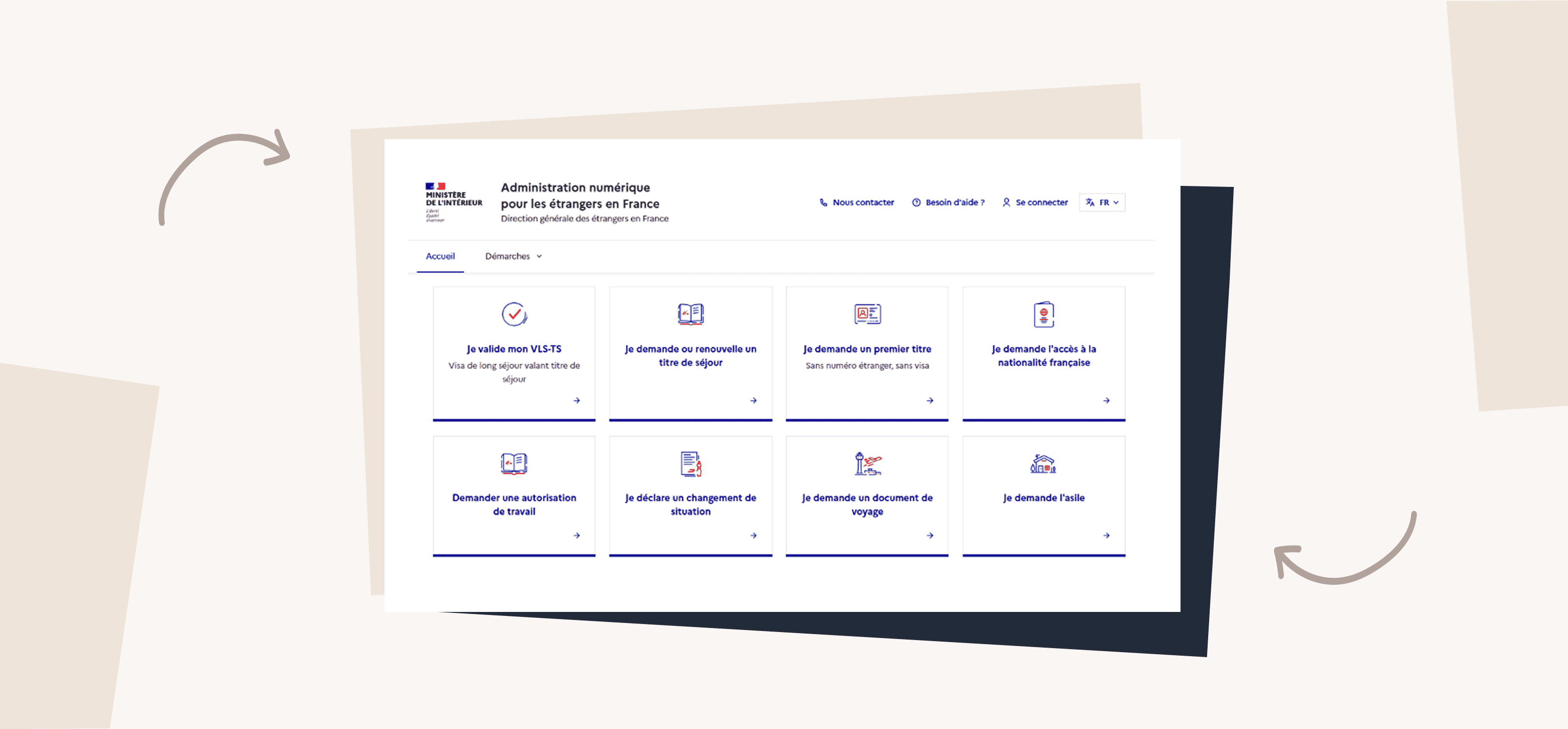
You can find information on the frequently asked questions page on the Administration of foreigners in France website or by using their contact form.
See our article What is the Foreigners' Portal in France? to find out more about this website.
If your application is for a cork permit, your are not on the correct website. Please visit the Administration of foreigners in France (Administration des étrangers en France) website.
You can find information on the frequently asked questions page on the Administration of foreigners in France website or by using their contact form.
See our article What is the Foreigners' Portal in France? to find out more about this website.
The Portal for foreigners in France is linked to the Administration for foreigners in France website, so you can use the same login details for both websites. If you change your password on one, it will also be changed on the other.
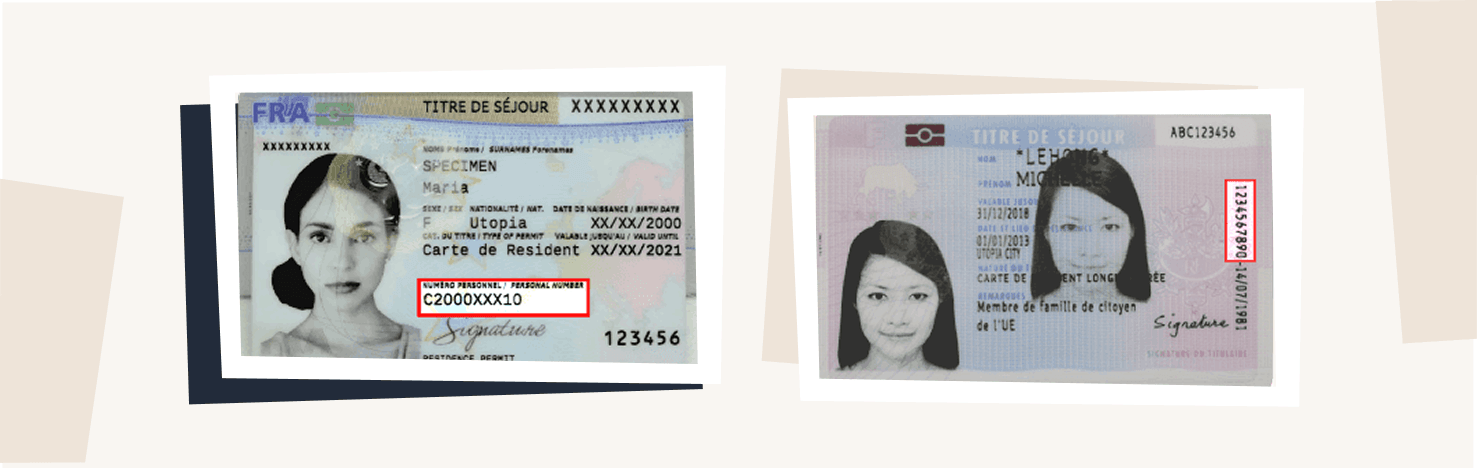
If you are unable to log in, check your foreign national number (numéro étranger) (shown on your residence permit). If you do not have a foreign national number, contact your prefecture or consult the Administration of foreigners in France website.
If you have forgotten your password, click on ‘forgotten password’ to reset it. You will receive an email asking you to create a new password. If you do not receive anything, your email address may not be up to date. If this is the case, contact the Administration for foreigners in France.
We recommend that you submit your application for family reunification online.
To find out which documents you need, visit the public service page. All your documents must be translated into French by a sworn translator, a list of whom is available on courdecassation.fr. Translations by other organisations are not accepted.
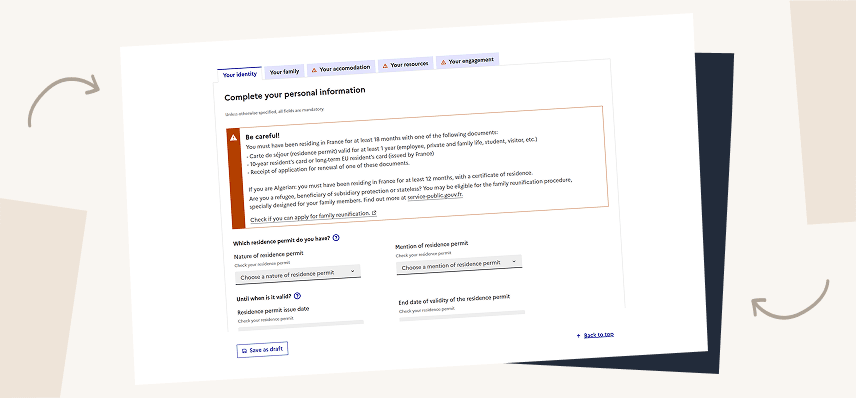
Then fill in the form online from this website by logging in to your personal space. Provide information about your identity, family, accommodation and resources. You will be asked to provide supporting documents as you go along.
You can also send your application by post by downloading the Cerfa form. Send it, together with all the required documents, to your local regional office.
For more information, see the ‘Applying for family reunification’ page.
In principle, your appointment should appear in your personal account. However, this feature is new and not all appointment types were integrated at launch.
The following appointments are not yet displayed on the Portal:
- Medical examination
- Family reunification housing and resources assessment
If your appointment is not listed above, please contact technical support using the contact form at the bottom of this page.
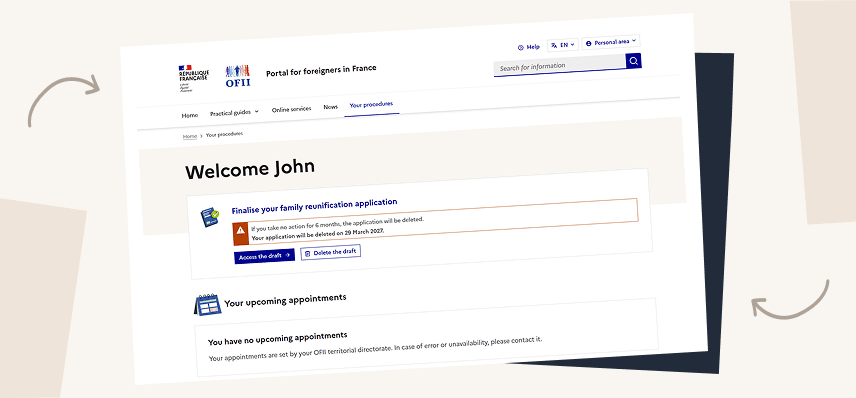
If you have an application in progress, you can track its progress and view the information entered and documents sent from your personal space.
If you are unable to log in, please contact technical support using the contact form at the bottom of this page.
You can track the progress of your application in your personal space, where you can monitor each stage. You will also be notified by email of any changes.
Please note that processing times can sometimes be long.
To ensure faster and more efficient processing of your application, we recommend providing complete and clearly legible documents in PDF format. We suggest using a scanning app such as Genius Scan or PDF Scanner, both available for smartphones.
These apps can be downloaded from the Google Play Store (Android) and the App Store (iOS). You can find the links below:
GENIUS SCAN


SCANNEUR PDF
Explore the sections to find out more


Contact details for your regional office
Enter your postcode or department to find out the contact details of the OFII authority that will process your application.
I haven’t found an answer to my question

- Answer your technical questions about the Portal for Foreigners in France (Portail des étrangers en France).
- Help you access your personal space
- Direct you to your local regional OFII office
- Redirect you to the right authority for a residence permit, a long-stay visa valid as a residence permit (VLS-TS), a work permit or a tax stamp.

- Give you any personal information about your current application
- Give you a precise date for the processing of your application