
On this page you will find all the answers to technical questions about the Portal for Foreigners in France (Portail des étrangers en France).
Access to the website
The Portal for foreigners in France is linked to the Administration for foreigners in France website, so you can use the same login details for both websites. If you change your password on one, it will also be changed on the other.
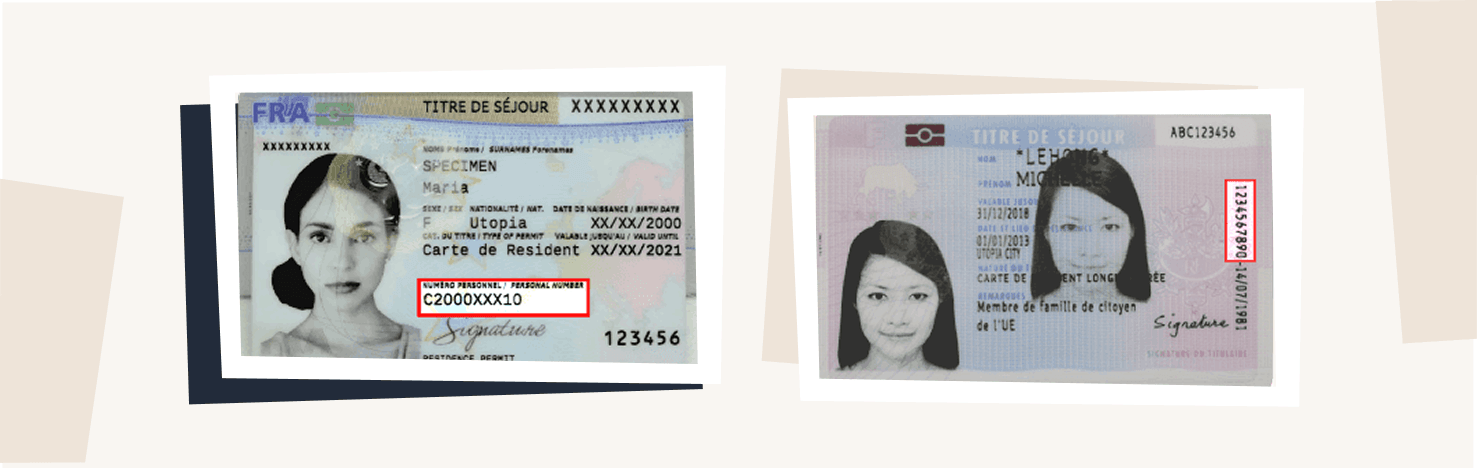
If you are unable to log in, check your foreign national number (numéro étranger) (shown on your residence permit). If you do not have a foreign national number, contact your prefecture or consult the Administration of foreigners in France website.
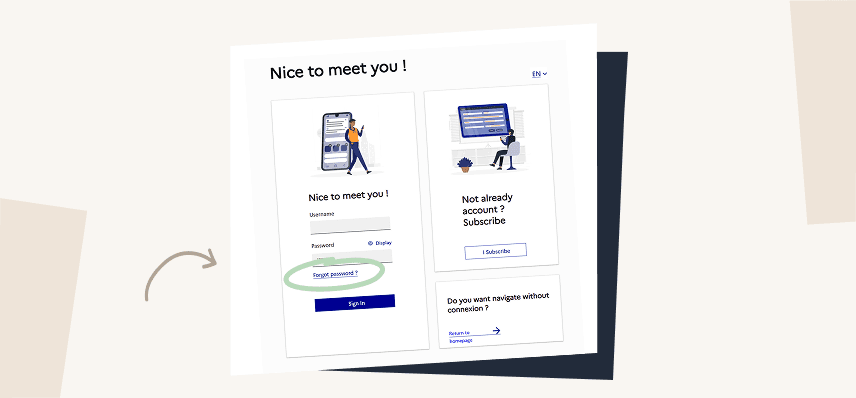
If you have forgotten your password, click on ‘forgotten password’ to reset it. You will receive an email asking you to create a new password. If you do not receive anything, your email address may not be up to date. If this is the case, contact the Administration for foreigners in France.
To change your password, go to the login page, click on ‘forgotten password’ and follow the instructions. You will need to enter your foreign national number to receive an email resetting your password. From this email, a link will redirect you to the page for resetting your password.
Please note: this will also change your password on the Administration for foreigners in France website. Remember to keep the same password when you log in to either website.
If your email address is no longer valid, you should contact the Administration for foreigners in France directly to update it.
If the website is temporarily down, an information message will be displayed. Try again after a few minutes. If the problem persists, report it using the contact form at the bottom of the page.
If you do not yet have an account, you can create one using your foreign national number (AGDREF) on the Create your account page.
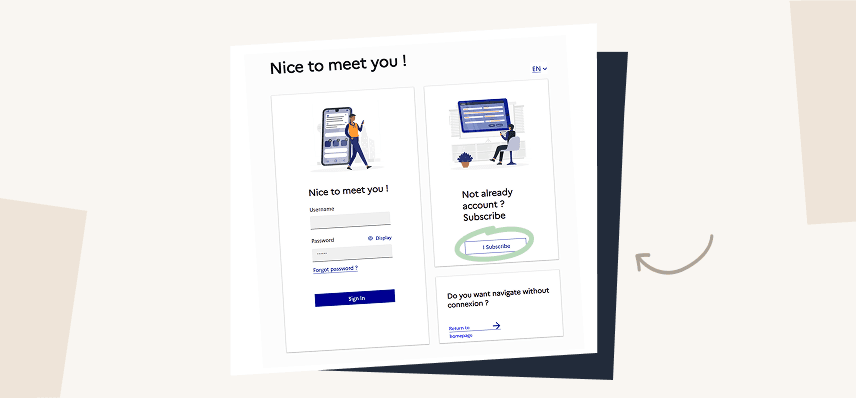
Fill in all the fields and, if in doubt, click on the  icons. If you are still unable to create your account, describe your problem using the contact form.
If you already have an account with the Administration for foreigners in France, use the same login details. If you have an asylum seeker’s certificate (ATDA), your account is created automatically by the prefecture when you go to the GUDA (single-desk contact point for asylum seekers). Make sure you have provided an email address.
Ofii appointments
To download your appointment notice, sign in to your personal account. Locate the relevant appointment, then click “Download appointment notice” below it.
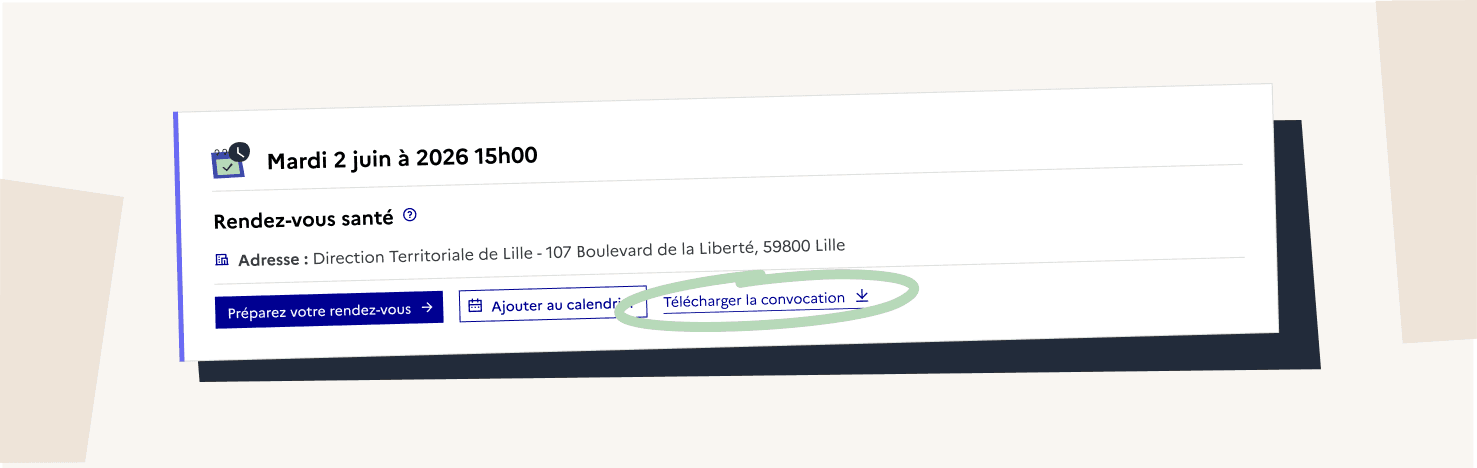
In principle, your appointment should appear in your personal account. However, this feature is new and not all appointment types were integrated at launch.
The following appointments are not yet displayed on the Portal:
- Medical examination
- Family reunification housing and resources assessment
If your appointment is not listed above, please contact technical support using the contact form at the bottom of this page.
To add an appointment to your personal calendar, sign in to your personal account. Locate the relevant appointment, then click “Add to calendar”.
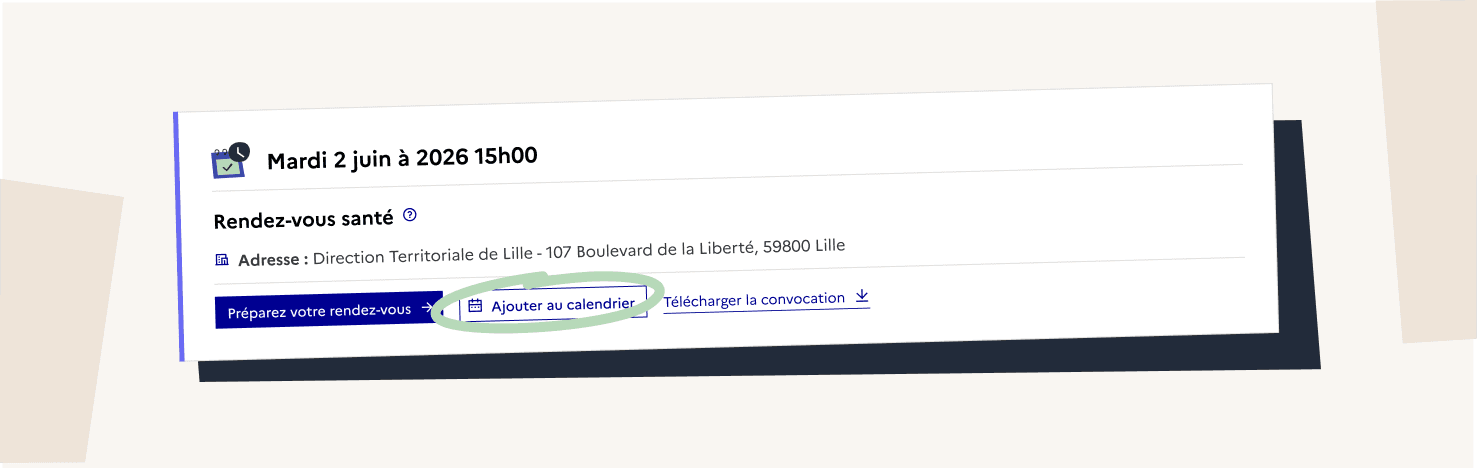
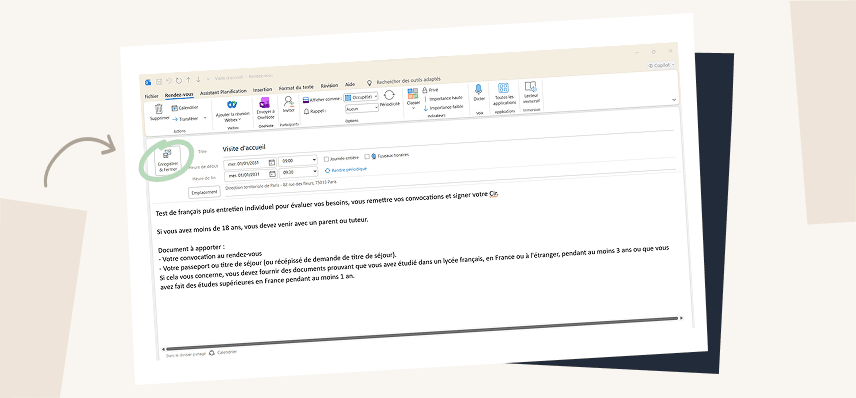
An .ics file will be downloaded to your computer or phone. Open the file. It will be automatically added to your calendar if you are signed in to your email account or your Google or Microsoft account. You will then need to click “Save and Close.”
Here is an example using Outlook.
Contact details for your regional office
Enter your postcode or department to find out the contact details of the OFII authority that will process your application.
I haven’t found an answer to my question

- Answer your technical questions about the Portal for Foreigners in France (Portail des étrangers en France).
- Help you access your personal space
- Direct you to your local regional OFII office
- Redirect you to the right authority for a residence permit, a long-stay visa valid as a residence permit (VLS-TS), a work permit or a tax stamp.

- Give you any personal information about your current application
- Give you a precise date for the processing of your application


